
Prepare DCP delivery media on your Mac.
INT DCP Baker is a one-time-purchase Mac app for preparing EXT2 / EXT3 media for cinema delivery. v2.0.1 supports Apple Silicon and Intel Macs. Use one app to write to multiple targets and add DCPs to existing media.
No additional EXT filesystem driver needs to be installed in macOS.
20 USD
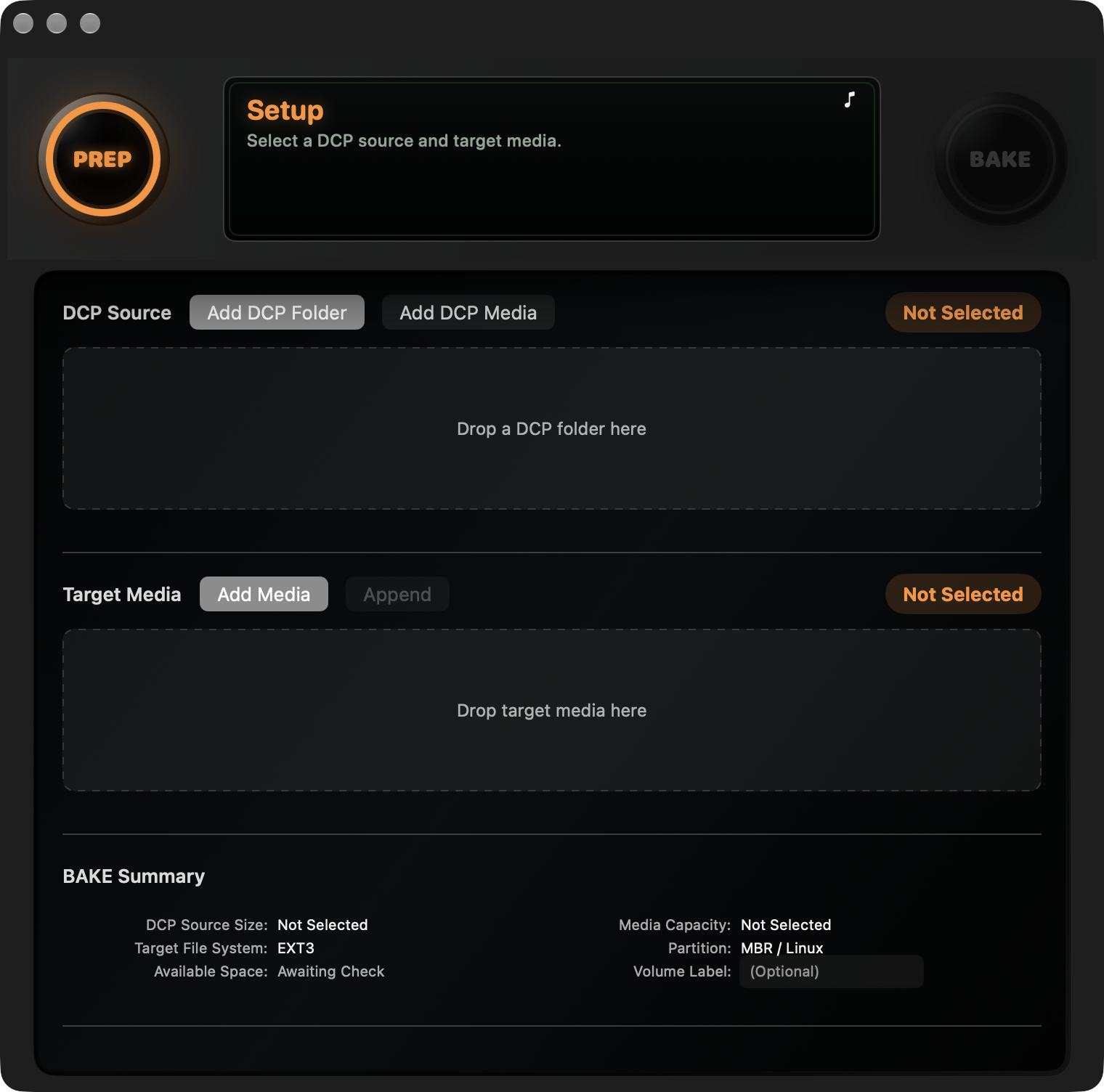
Preparing DCP delivery media can be complex.
Cinema delivery can require EXT3 / EXT2 filesystems and partition layouts that differ from everyday Mac storage. Preparing media with Linux environments and command-line tools also takes time.
INT DCP Baker brings the required environment and controls together, so you can prepare delivery media from your Mac.
Five Key Features of v2
Direct BAKE
No delivery disk image needs to be created in advance. Baker formats the selected media (FORMAT), copies the DCP (COPY), and checks the transfer with independent VERIFY.
Multiple Target
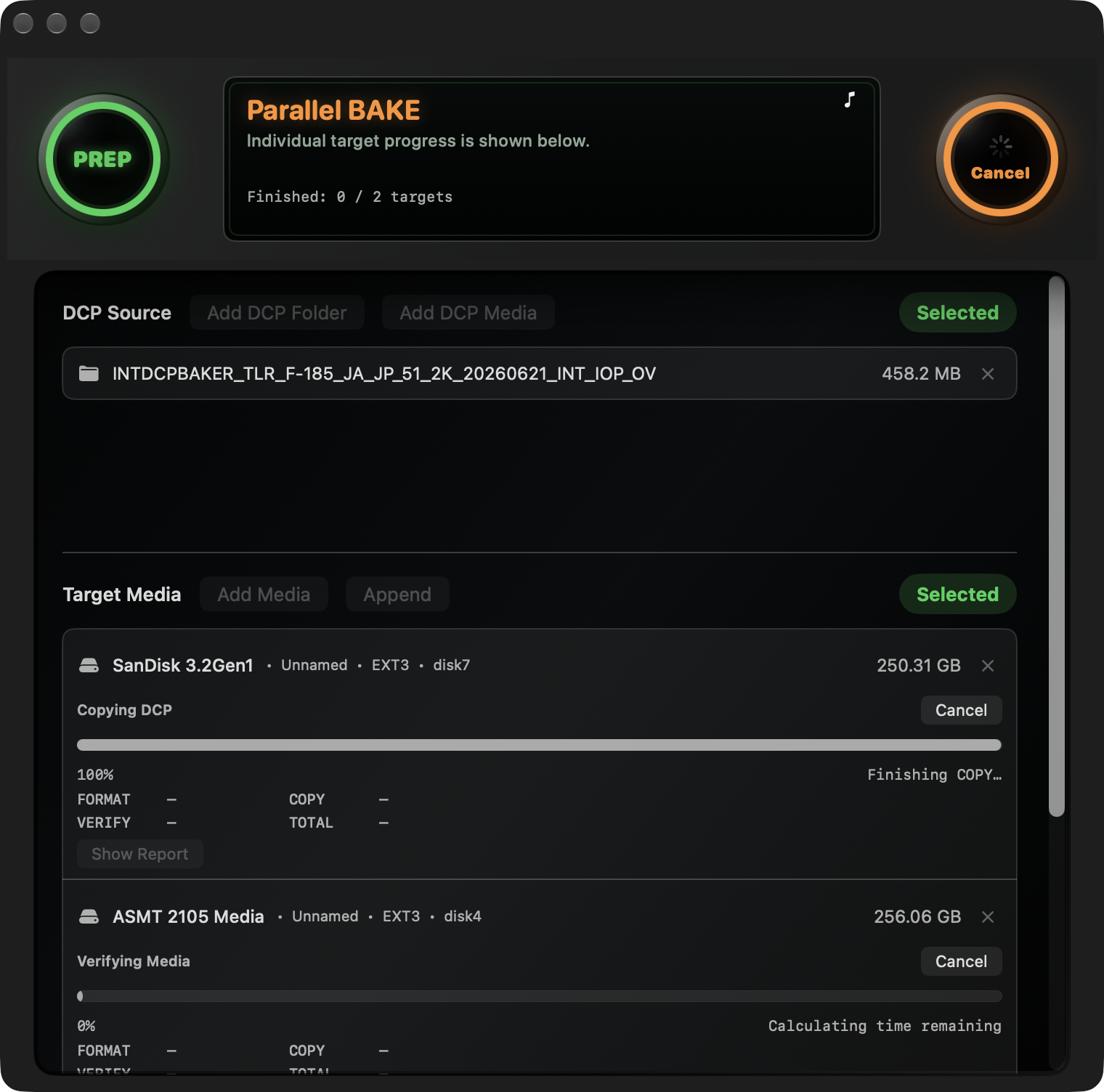
Write to multiple targets sequentially or in parallel. Depending on the source, write to up to four targets and view progress and results for each one.
Copy from EXT2 / EXT3 Media
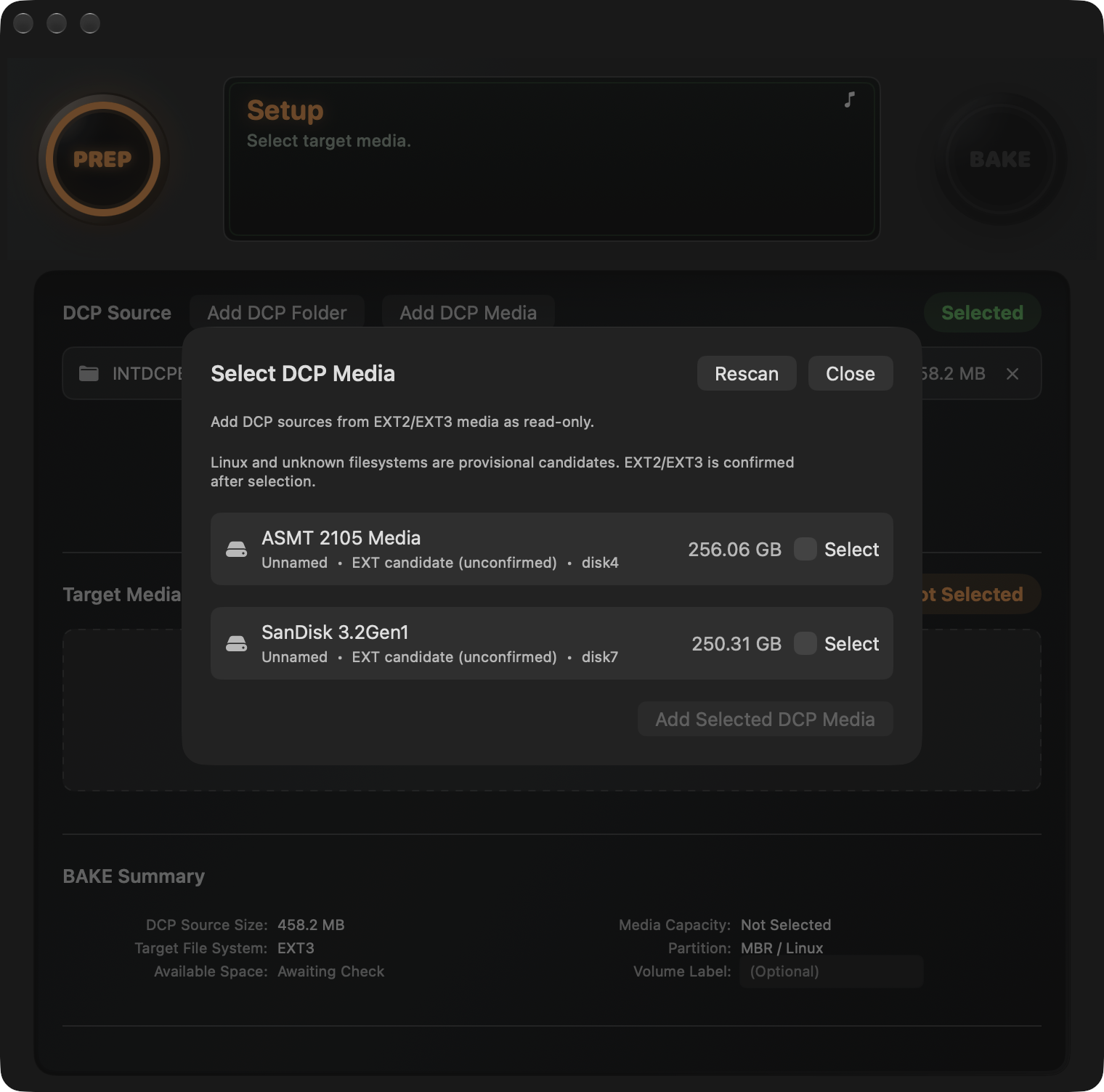
Select DCPs on EXT2 / EXT3 media as sources and copy them to other media. Source media are accessed in read-only mode.
APPEND
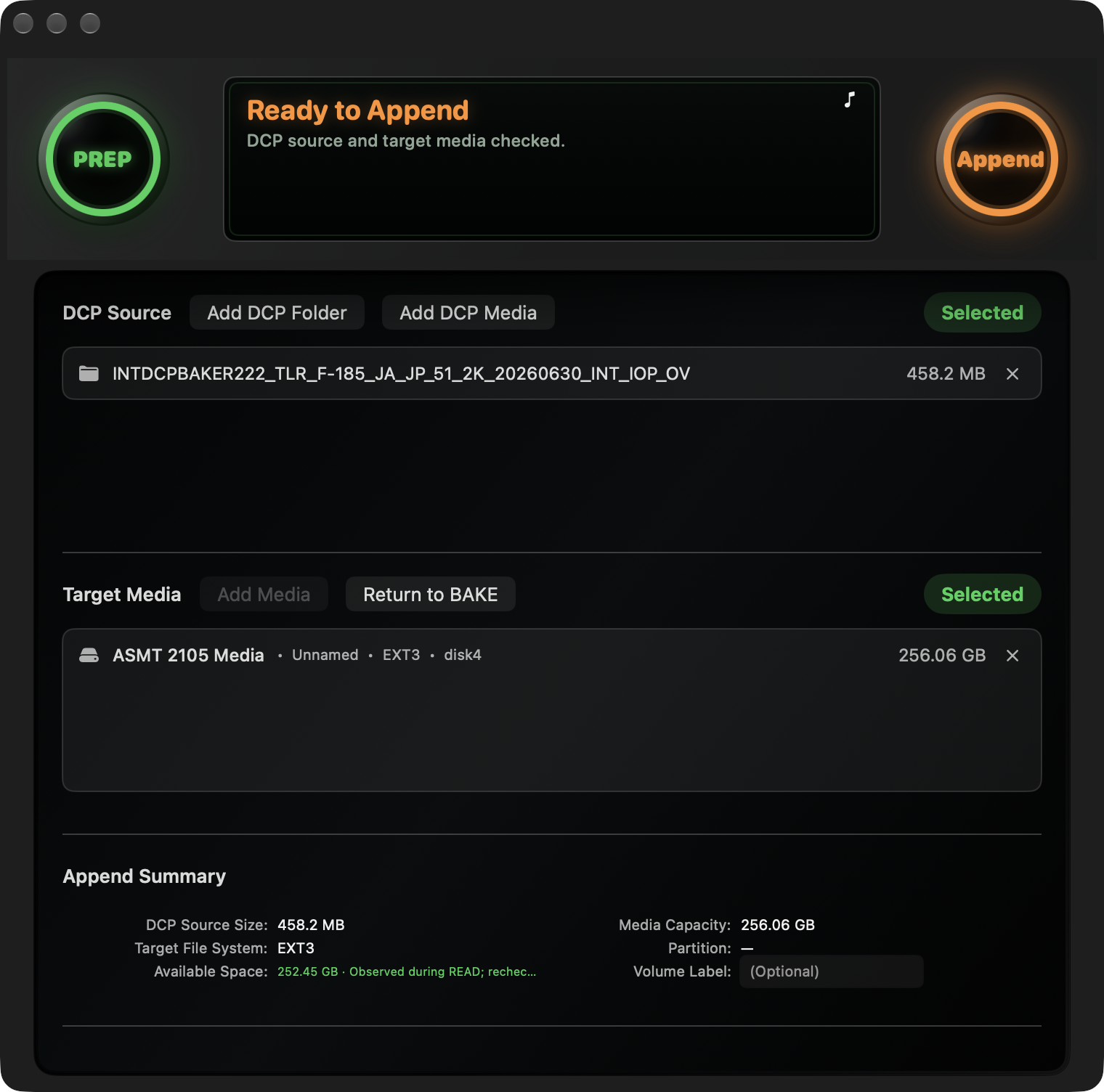
Add a new DCP to existing EXT2 / EXT3 media without reformatting or overwriting or replacing existing files.
Apple Silicon / Intel Support
Apple Silicon and Intel editions offer the same features and support macOS 15 Sequoia or later.
Use Left and Right Arrow keys to move. Home shows the first card; End shows the last.
1 / 5: Direct BAKE
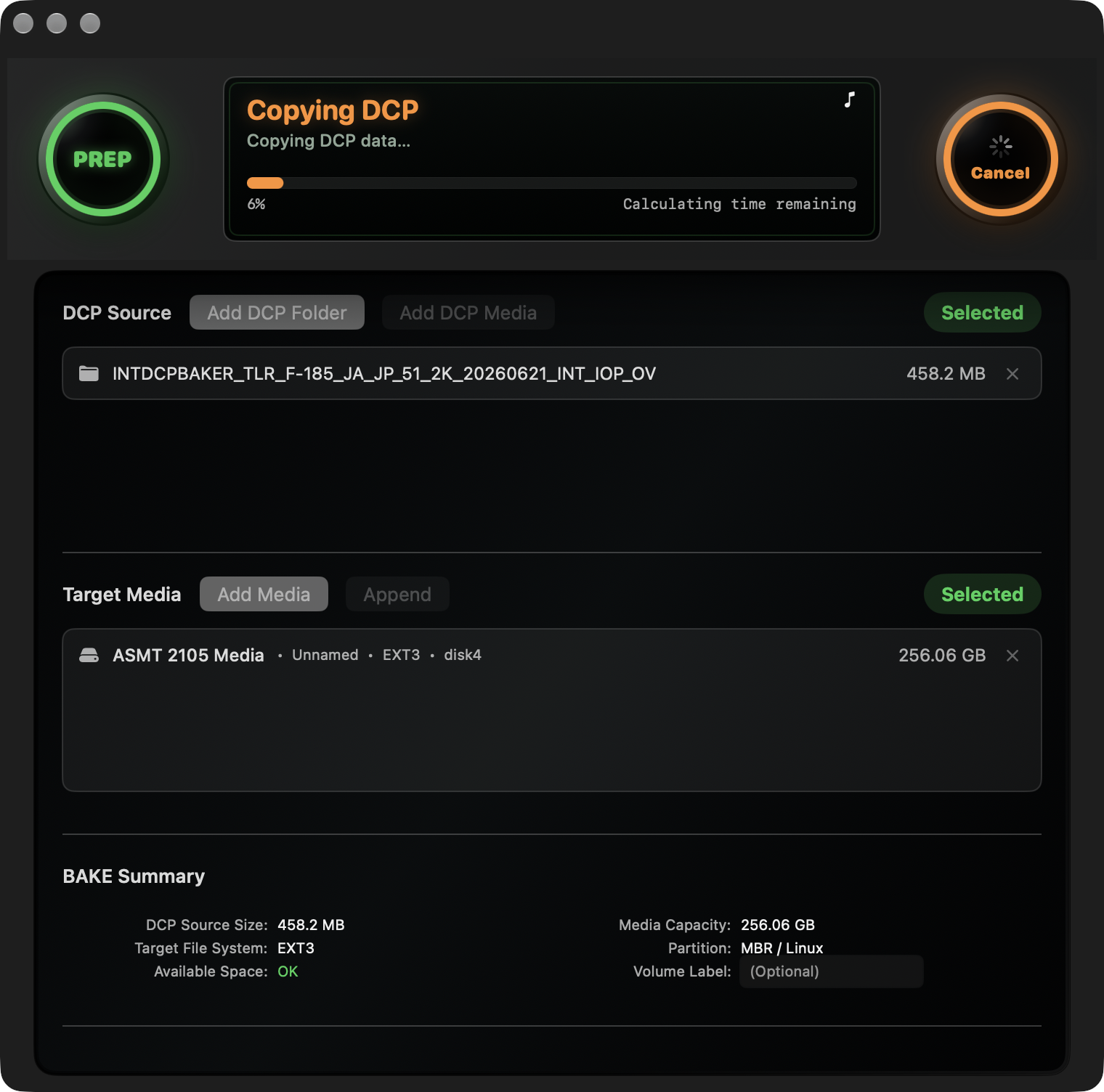
A Two-Step Workflow
PREP
Select the DCP sources and target media, then review the BAKE Summary.
BAKE
Check the targets in the final confirmation and start. Review the results after writing and VERIFY are complete.
VERIFY and BAKE Report
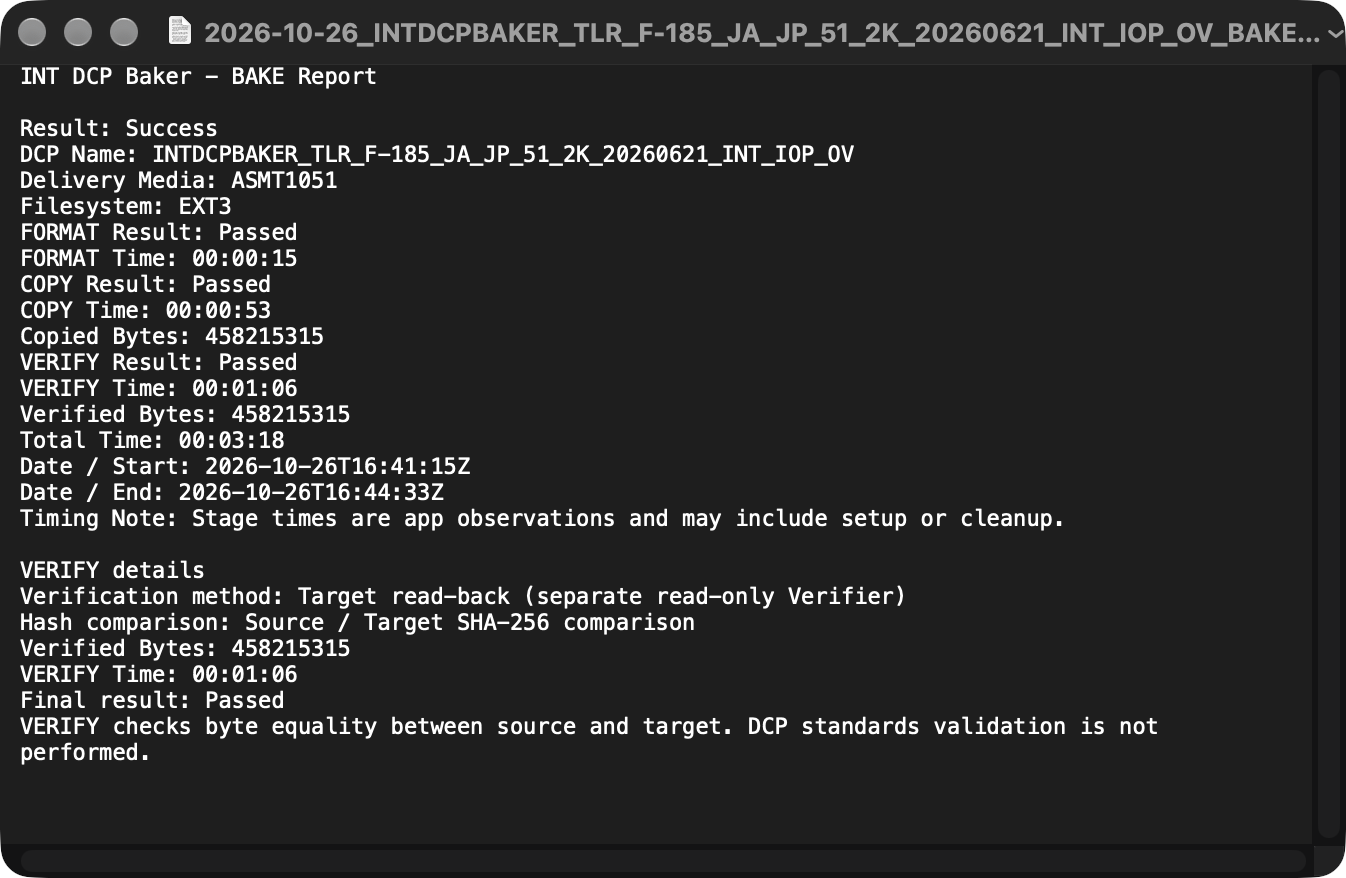
VERIFY
Files are read back independently from the target media and their SHA-256 hashes are compared with those calculated during COPY.
BAKE Report
Results and available stage timings are recorded for each target, making it easier to review the operation.
System Requirements, Trial, and Price
- macOS 15 Sequoia or later
- Apple Silicon / Intel Mac
- Delivery media format: EXT3 / EXT2
- USB flash drives, SSDs, and HDDs
- Seven-day Trial from first launch
- One-time purchase; no subscription
An internet connection is required for license activation. Offline use is available after activation.
20 USD
Free Upgrade for v1 Users
Use your existing v1 license key to upgrade to v2 free of charge.
Usage Notes
Normal BAKE erases existing data on the selected target media. Check the targets before starting. See the User Guide for detailed operating conditions.
VERIFY checks the transfer result. Check DCP standards compliance, content, and playback compatibility separately.