
A one-time-purchase app for preparing DCP delivery media for cinema delivery using only an Apple Silicon Mac.
No additional EXT filesystem drivers required. Prepare delivery media from completed DCPs through image creation, RAW BAKE, and Readback Verification in one app, without installing additional EXT2/EXT3 filesystem drivers in macOS.
Version 1.0.4 improves compatibility when selecting SMPTE DCPs and feedback when a selected folder cannot be recognized as a DCP.
20 USD / One-time purchase
Preparing DCP delivery media involves more than copying a folder.
DCP delivery is not always a matter of copying a folder to a USB drive. Delivery requirements may call for an EXT3 or EXT2 file system and a partition layout that differ from the storage formats normally used on a Mac.
One way to prepare this media is to combine a macOS file-system extension with Linux, a virtualized environment, or command-line tools. That adds setup work and requires careful attention to the delivery specification; an incorrect configuration may prevent the destination system from recognizing or ingesting the media.
INT DCP Baker brings this work into a dedicated app and bundled environment for Apple Silicon Mac. You can focus on preparing the delivery media without moving between separate systems and tools.
What INT DCP Baker brings to your workflow
No additional EXT filesystem drivers required.
You do not need to install additional EXT2/EXT3 filesystem drivers in macOS. There is also no need to buy separate paid EXT software to prepare delivery media. Baker's image creation environment may require Initial Setup.
No subscription
There is no separate subscription to maintain for a file-system extension or virtualized environment. You can also place multiple DCPs on a single piece of media.
Readback Verification after writing
Baker automatically reads the written media back and compares its byte count and SHA-256 with the source image. After successful completion, a Bake Report is saved automatically with the DCPs used, the Target Media, and the verification result.
A two-step workflow
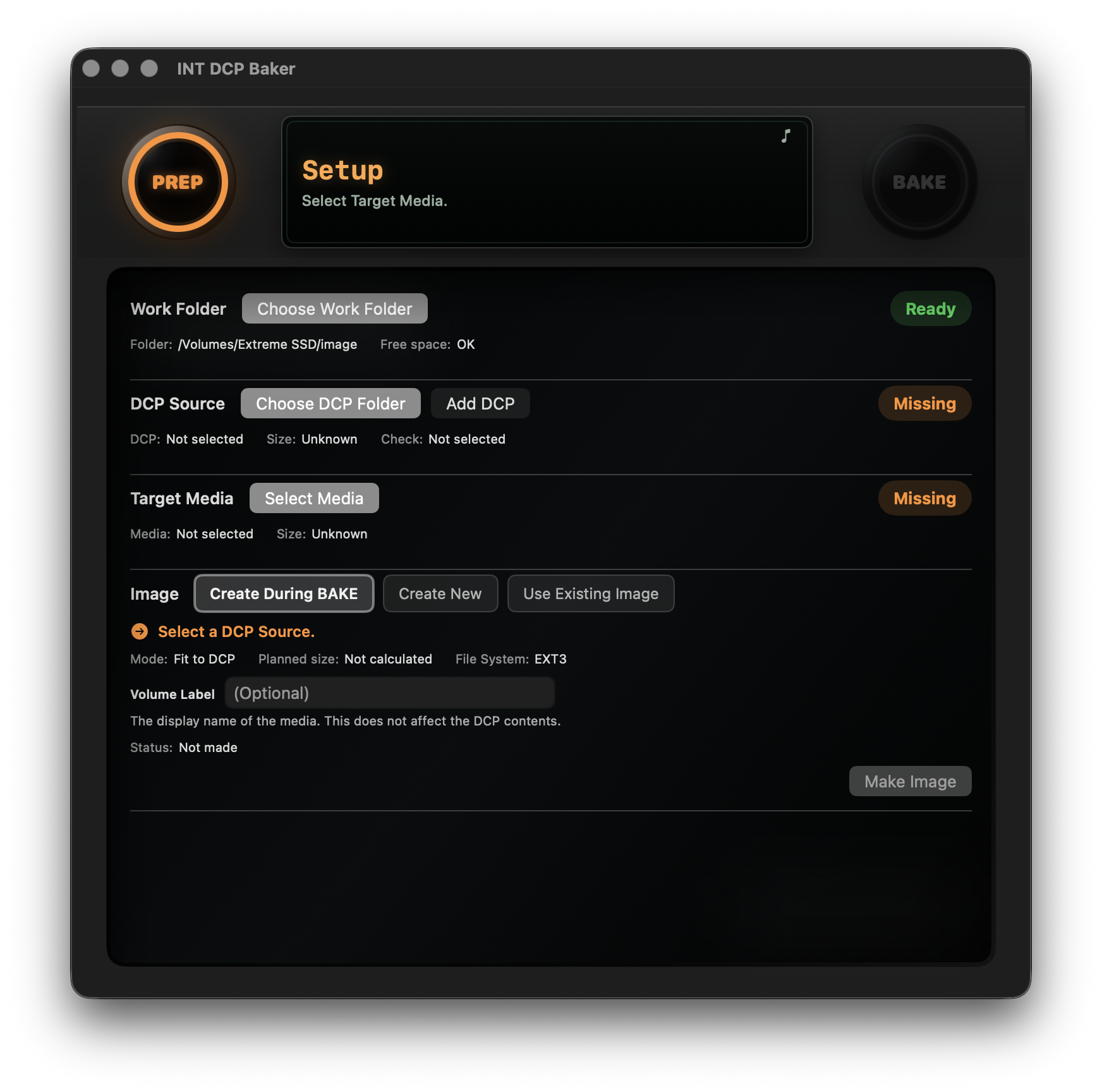
PREP
Select the Work Folder, DCP Source, and Target Media, then create the disk image.
BAKE
Review the plan, start writing to the media, and complete Readback Verification.
Designed to prioritize review and verification
INT DCP Baker creates a disk image before writing the DCP to the Target Media. This takes longer than simply copying data.
Readback Verification reads from the beginning of the written media for the full image size. It compares the readback byte count and SHA-256 with the values calculated from the complete image byte stream during writing. This checks that the written result matches the image; it does not check DCP content for standards compliance or perform full DCP Validation.
A disk image you have created can be reused for later Bakes.
- Review the content before writing
- Run Readback Verification after writing
- Save the result in a Bake Report
These checks do not guarantee every delivery outcome, but they help you review the media before and after writing and retain a record for later reference.
System Requirements, Trial, and Price
- Apple Silicon Mac
- macOS 26 or later
- EXT3 / EXT2
- USB flash drives, SSDs, and HDDs
- 7-day free trial
- Offline use after activation
An internet connection may be required during Initial Setup and is required for License Activation.
20 USD / One-time purchase